Key Takeaways:
- Salesforce is strongest when feedback needs to trigger action. Transactional Surveys tied to a customer case are a natural fit.
- Relationship Surveys need more than a CRM workflow. If every response is tied to a name, customers may be less candid—and deeper B2B research often requires more flexible survey design and analysis.
- Start with the objective, then decide Salesforce’s role. Salesforce may supply customer data, run the survey, receive selected findings, or do all three. The right setup depends on what you need to learn.
Salesforce integration can connect customer feedback to an account, case, or a follow-up action. That’s a win.
But for broader B2B relationship research, there are trade-offs. Customers may be less candid when every response is tied to their name. Also, depending on your Salesforce license, the survey and analysis capabilities may not support the depth of research you need.
Salesforce is a customer relationship management platform that companies use to manage contacts, sales activity, service cases, and other customer information.
That centralization is part of the appeal. Salesforce reports that 82% of high-performing service organizations use the same CRM across service, sales, and marketing.
So, what does it mean to integrate a customer survey with Salesforce?
A good customer survey isn’t one click. It’s dozens of decisions. Talk to us about your survey.
At the most basic level, Salesforce survey integration lets information move between Salesforce and your customer survey. Salesforce customer feedback can range from a simple post-case survey to a broader Salesforce Feedback Management program that brings survey responses, customer records, follow-up workflows, and reporting together.
That can happen in several ways. You can use:
- Salesforce’s own feedback tool
- An outside customer survey platform connected through Zapier or a similar integration
- A custom API or workflow
- A survey platform built to operate directly within Salesforce
Some integrations simply use Salesforce to trigger a survey. Others put individual responses directly onto the customer account or case records. And some use Salesforce data to select respondents while keeping the actual research and analysis somewhere else.
From our client projects, we’ve seen each approach make sense under different circumstances. The right setup depends on what you’re trying to learn and what needs to happen with the results.
What Salesforce Feedback Management Can Do Well
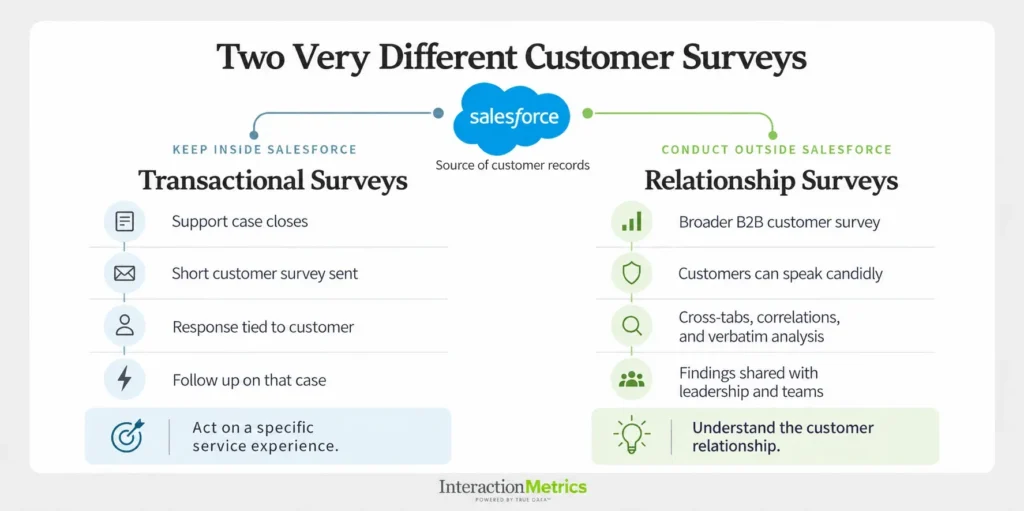
Transactional and customer service surveys are often a natural fit.
Suppose a support case closes and the customer receives a short survey. They say their issue is unresolved.
If that response goes straight back into Salesforce, one of your reps can see the case, identify the customer, and act.
That’s useful integration.
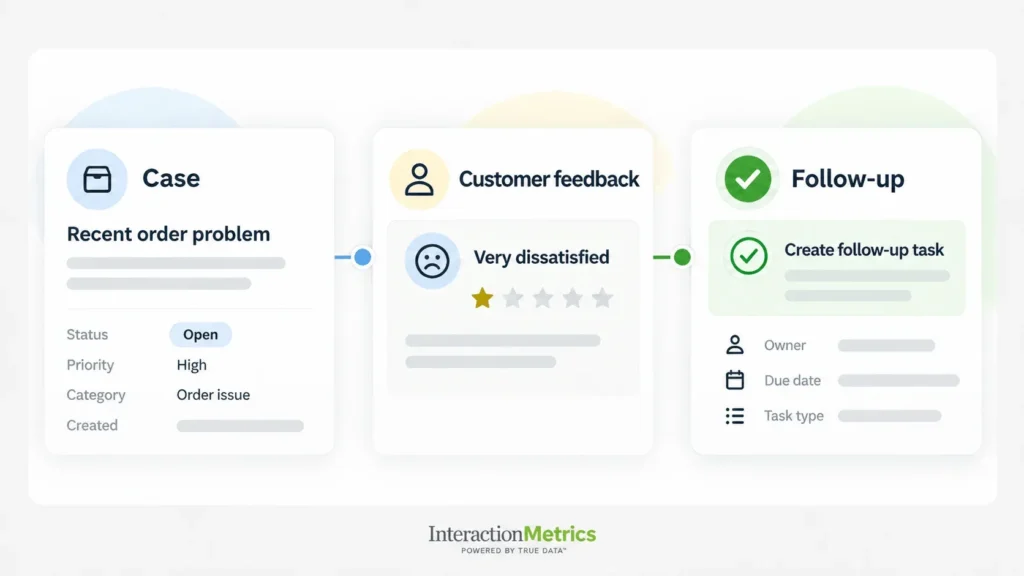
The same applies when a customer:
- Requests a call.
- Rates an interaction poorly.
- Says an issue (perhaps with repairs or warranties) remains unresolved.
- Gives an answer that should create an immediate follow-up task.
In those situations, there is very little reason to separate the response from the customer. Knowing who answered is what makes the feedback useful—which is why for transactional surveys, keeping the feedback process inside Salesforce can be the right fit. And the fact that native tools tend to have thin survey-building capabilities with minimal branching logic, and little control over the respondent experience, is okay.
But that’s very different from a customer survey designed to understand an entire B2B relationship.
Relationship Surveys Need More Than a Workflow
A relationship survey is meant to uncover deeper, more strategic insights about the customer relationship.
For example, you may want to know:
- How customers feel about the account team.
- Whether they see enough value in the relationship.
- What frustrates them.
- Where competitors may be gaining ground.
- What could eventually put the account at risk.
Those aren’t questions about a single transaction.
And this is where more context can mean less candor. B2B customers may answer differently if they believe every comment goes directly back to the people involved with their account—a challenge observed in Harvard Business Review’s article on getting honest customer feedback.
After all, the respondent may work with your account manager every week. They may depend on your company operationally, have a long-term contract in place, or simply not want to upset the apple cart.
So instead of saying what they really think, they give you a reasonably positive score.
Sure, the customer record gets updated, but the research survey loses its validity.
For a B2B company with critical customer relationships, losing out on honest feedback matters. A polite 8 may look reassuring while hiding a problem leadership needs to hear about.
Use Salesforce, but that Doesn’t Mean Every Answer Should Live There
Using Salesforce as part of the survey process doesn’t mean the entire research project needs to live there.
For example, Salesforce can help you identify who should receive the customer survey. CRM data can also be used later to analyze results by customer type, product, region, account size, or other characteristics.
Think of it this way: some surveys belong in Salesforce because they trigger pertinent follow-ups. For other surveys, Salesforce is used primarily for identifying the right customers and supplying account data.
So, the best question isn’t: “Does the survey integrate with Salesforce?”
It’s: “What role should Salesforce play in this customer survey?”
After the Responses Come In, What Happens Next?
Where the survey lives is only one part of the decision. The next question is what you need to do with the data.
A substantial B2B relationship survey requires more than collecting responses and displaying averages. For instance, we may want to:
- Compare customer groups, industries, and other segments using cross-tabs.
- Apply correlation analysis to understand which aspects of the experience are most associated with advocacy, churn, and other outcomes.
- Analyze open-ended responses and code them into themes.
- Combine CRM variables with customer survey data to examine accounts and customer groups in more detail.
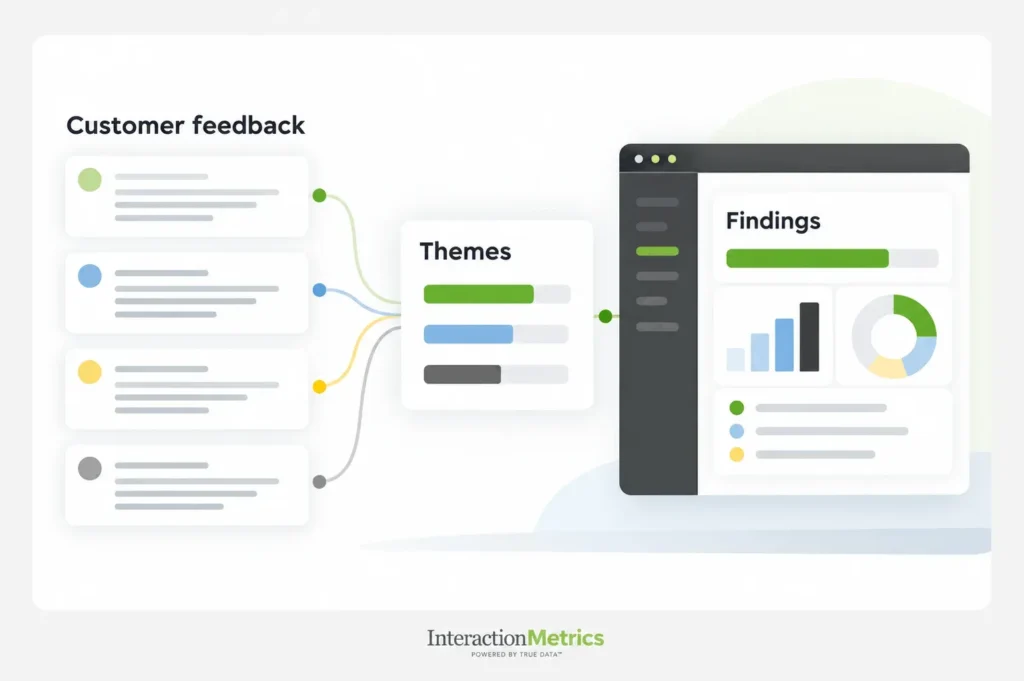
With these kinds of analyses, the research has moved well beyond attaching survey responses to Salesforce records.
That’s why, for the most meaningful surveys, we recommend analyzing the data outside Salesforce using dedicated analytical methods and software. This gives us the freedom to interrogate the data and examine the findings from multiple angles.
Once the analysis is complete, selected information can go back into Salesforce. That might include account-level indicators or select information that helps teams act on what the research uncovered.
Other findings may be more useful in dashboards, presentations, or executive reports that show the broader patterns across customers.
In this way, Salesforce remains part of the research process without having to be the research environment.
Start With What You Need to Know
Too often, companies begin the Salesforce survey conversation with the technology: Can you integrate the survey with Salesforce? Can Salesforce automate the survey? Can the responses appear on an account record? Can we keep everything in one system?
Those are all reasonable questions. They’re just not the first ones we would ask.
Instead, we start with: What decision are you trying to make?
If you’re using a transactional survey to resolve individual customer issues, a Salesforce-native or tightly integrated approach may be correct.
But if you’re trying to understand the health of your customer relationships, uncover problems customers haven’t raised, compare different customer groups, or determine what is actually driving satisfaction, then the setup needs to be different.
At Interaction Metrics, our TrueData™ methodology starts with the research objective. Then we determine the customer survey technology, fieldwork, and analysis required to answer it.
The goal of Salesforce survey integration isn’t to get as much customer feedback into Salesforce as possible.
It’s to use Salesforce where it makes the customer survey better.
Talk to us about the right Salesforce setup for your customer survey.